
Article
How to sign up to CCLI
Instructions on how to sign up for a CCLI license
1. How to use email/fax
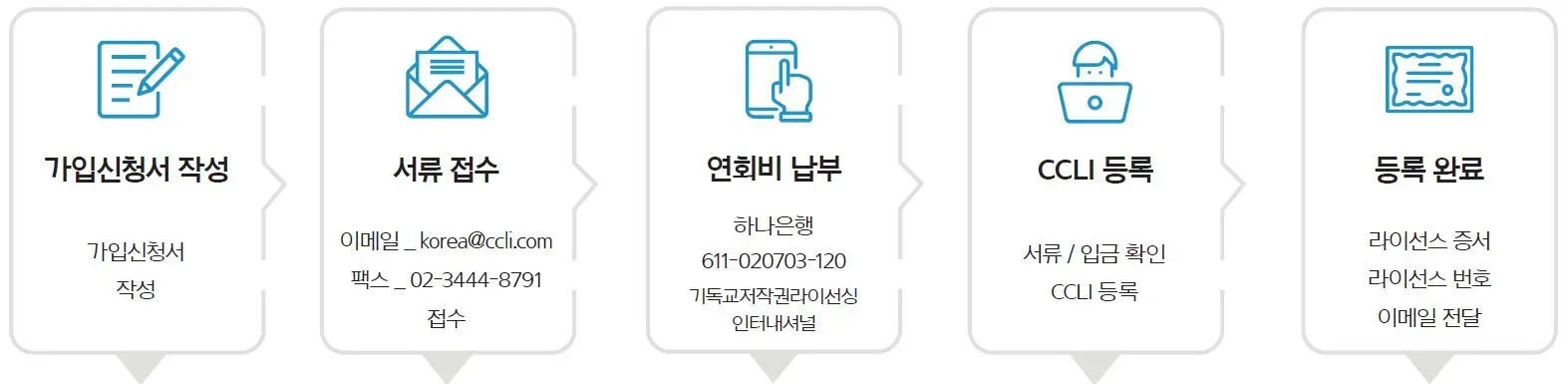
- Please provide accurate information when filling out the signup form.
- Submit the required documents (application form / church ID card) via email or fax.
- View and pay the total annual fee based on your license type and church size.
- Once the required documents and annual fee payment have been verified, proceed to CCLI enrollment.
- We'll send your license number and certificate to the email you provided in the subscription application.
CCLI 2023 가입신청서(컴퓨터 작성가능).pdf
2. How to use your online store
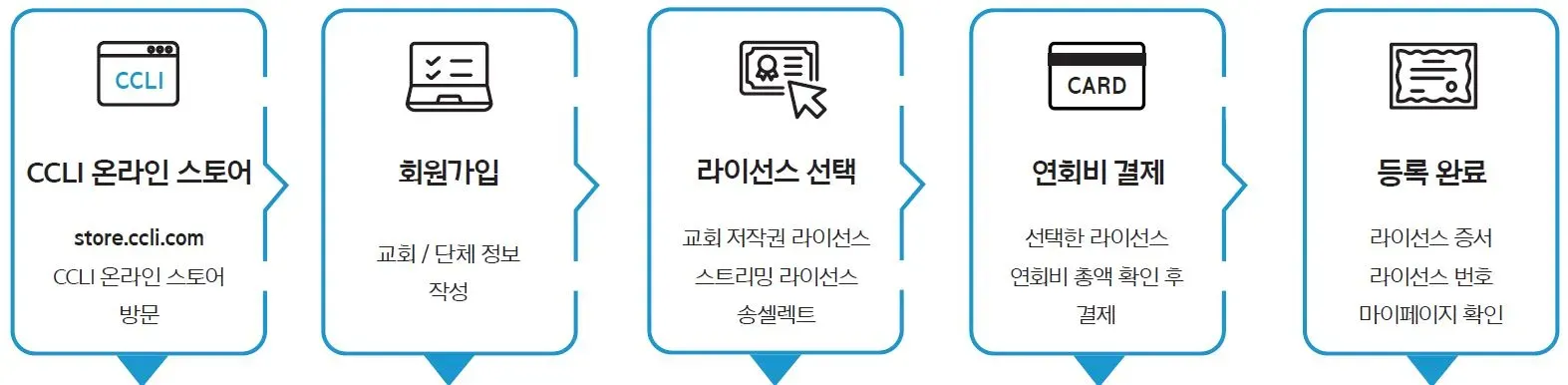
- From the CCLI homepage, click the [Join or Renew] button on the top right > Go to the online store.
- If you are visiting the CCLI online store (store.ccli.com), click Sign Up.
- Select an organization type and enter your church/organization information.
- Check the license type and church size and add the desired license to your cart.
- Check the total amount of the annual fee based on the type of license and church size in your cart and pay with your card.
- Once payment is made, the license will be issued under the church/organization name automatically entered in CCLI.
- You can view your license number, license certificate, church information, payment history, receipts, and more on your CCLI My Page.